 ReelMorph
How to Make the Dima Dima Baby AI Trend
On this page
Dima Dima Baby AI Trend
Recreate the Dima Dima Baby, Dime Dime Baby or Bby Wow AI format from one photo. Learn the seven-second action map, reference-video workflow, prompt structure, fixes and rights checks.
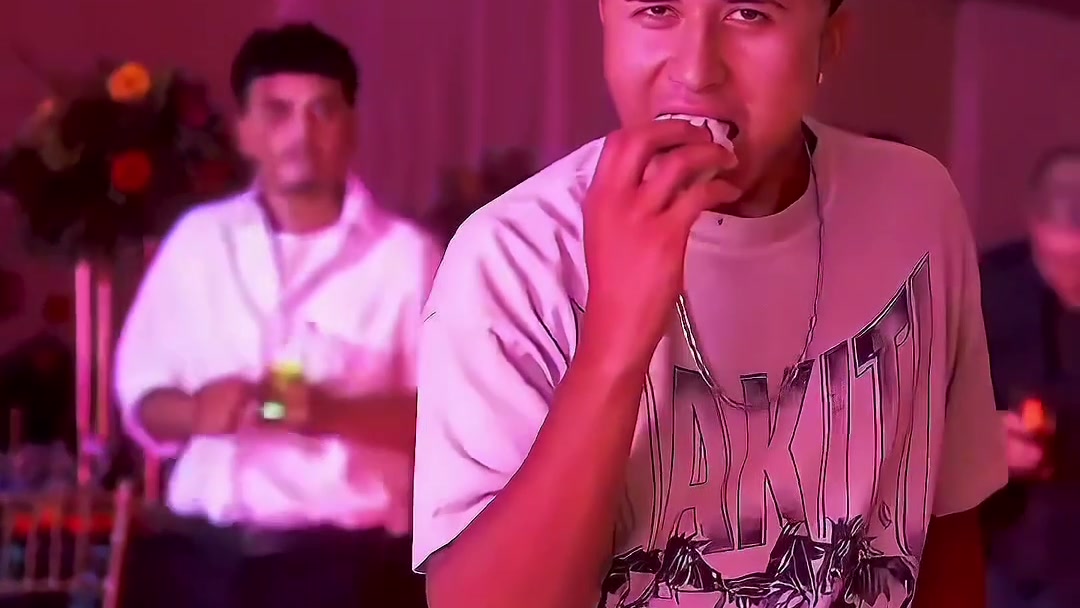
The Dima Dima Baby AI trend is a short party performance with four readable beats: a person walks toward the camera, bites a round sweet bread, holds a direct stare, then turns and dances away. This guide explains how to reproduce that format with any capable reference-video model. You do not need ReelMorph or a private preset to follow it.
What is the Dima Dima Baby AI trend?
The source we can verify directly is the party clip published by @eve.el.cholo. It shows a staff member leaving the crowd, approaching the party videographer, taking a bite from a sweet bread and moving away with a brief dance. That real recording is the source event. Later videos that replace the lead with another person or character are AI remixes, not footage of the same event.
The performer, the account that published the clip, the camera operator and later remix creators are different roles. Do not infer the performer's identity or claim an endorsement that the source post does not provide. When you publish a remake, identify it as generated media and credit the exact clip or creator you actually used.
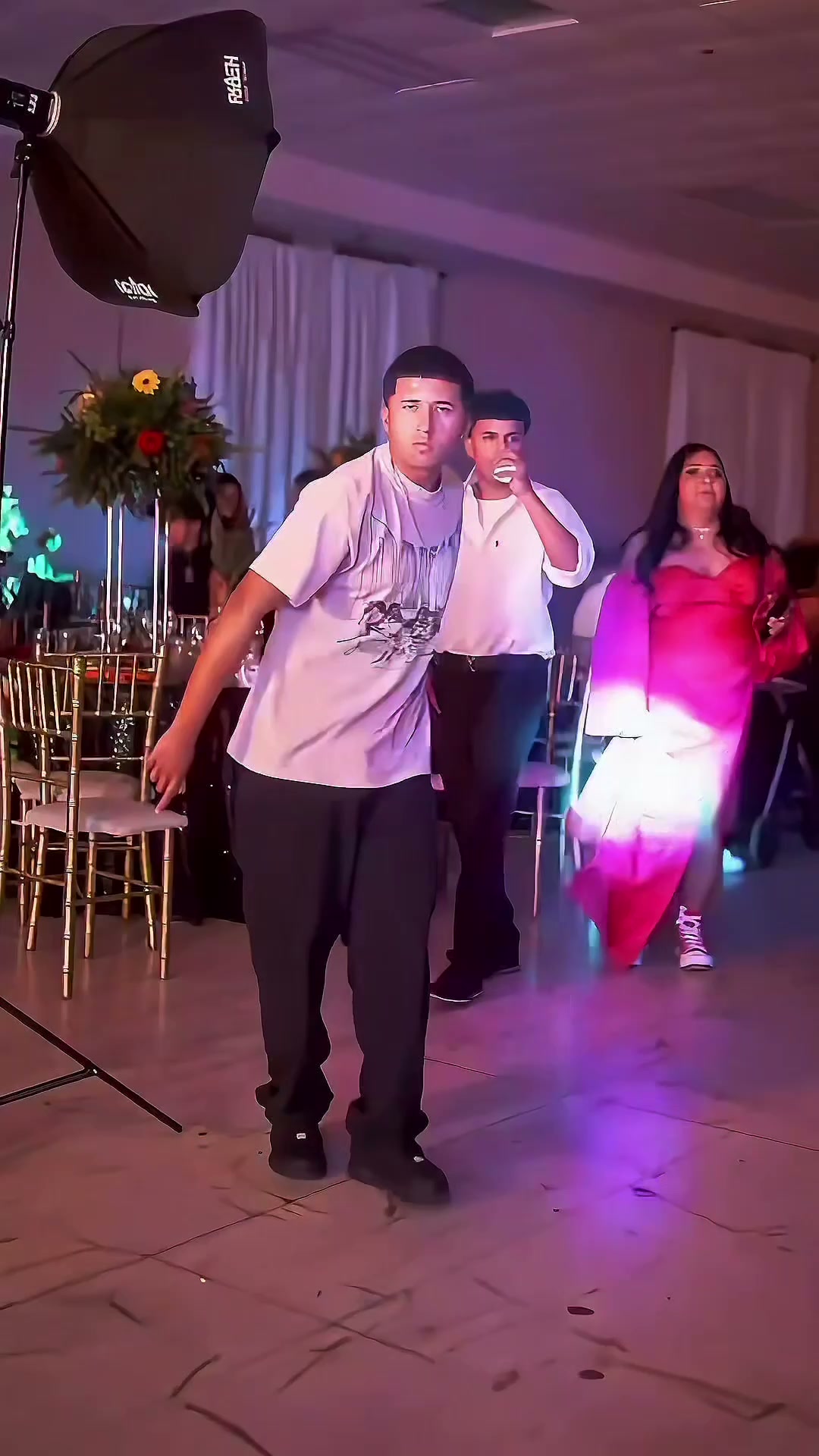
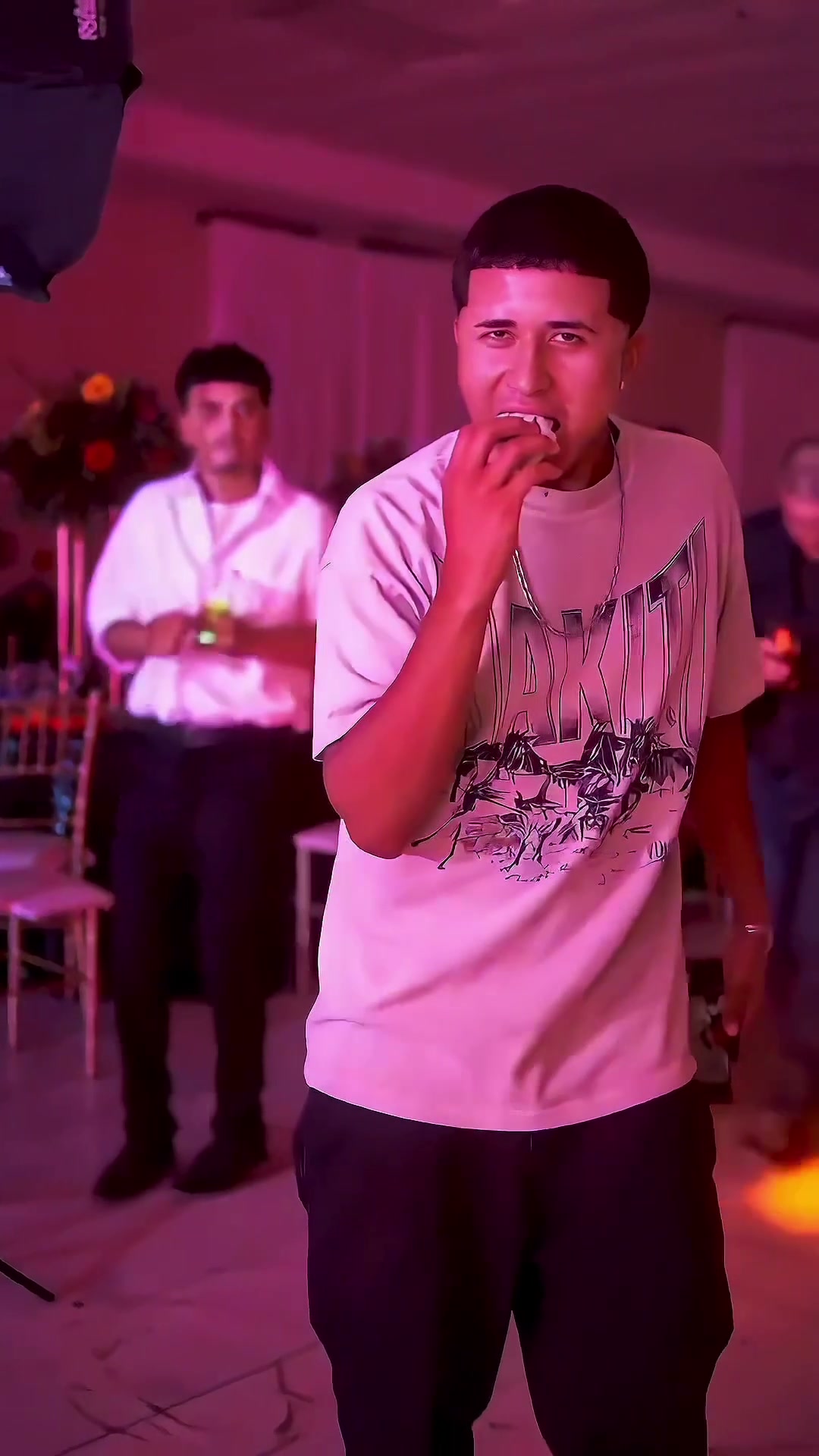
Frames from the supplied original reference video. They explain the action and framing; they are not generated before-and-after results.
Dima Dima Baby, Dime Dime Baby and Bby Wow
People search for this visual format under several spellings. This product uses Dima Dima Baby to match the supplied reference filename and requested effect name. Dime Dime Baby and Bby Wow are useful alternate search terms for the same walk-bite-stare sequence. Naming the alias helps viewers find the right format, but it does not give permission to reuse someone else's video, music or likeness.
Why the format is easy to share
The clip works as a miniature story. The walk creates anticipation, the bread enters as a prop, the stare supplies the punchline and the turn ends the scene. A viewer can understand that progression without dialogue. Replacing the lead changes the personality of the moment while the same four actions keep the remake recognizable.
The strongest versions are not the most complicated. They keep one lead identity, one bread prop and one continuous camera relationship. A costume change, extra cut or crowded foreground can weaken the visual setup.
The seven-second action map
Use the supplied seven-second reference as a visual timing guide, then adjust exact cuts to your own authorized source.
| Time | Action | Review point |
|---|---|---|
| 0-2 s | The lead steps out and walks toward the lens | Face and clothing remain recognizable in the wide view |
| 2-3.5 s | One hand raises a round sweet bread | Bread and fingers stay separate and the grip is plausible |
| 3.5-5 s | The lead bites, chews and looks into camera | The face does not change in the closest view |
| 5-7 s | The lead turns and dances away | The body completes the turn without a cut-off limb or duplicate person |
Do not describe the action as a finger bite. If your model keeps merging the prop with the hand, name the food, slow the hand-to-mouth motion and generate the close action as a separate shot.
What to prepare
- One clear photo of one consenting adult. Keep the full face, upper body and visible clothing unobstructed. A full-body photo can help the walk, but the subject should not be tiny.
- A reference clip you have permission to process. Keep the visible action short, vertical and free of burned-in private information.
- A model that accepts both an identity image and a motion or video reference. Text-only image-to-video may invent a different walk and bite timing.
- An editor for trimming, audio, captions and export. Keep audio separate so you can replace it without regenerating the visuals.
Avoid celebrities, minors, strangers and group photos. A dark selfie, sunglasses or a hand over the mouth removes detail exactly where the closest shot needs it.
A tool-independent production workflow
- Prepare the reference. Trim to the entrance, bite, stare and exit. Crop to 9:16 while keeping the lead's full path in frame. Remove captions and use only material you may process.
- Prepare the identity image. Crop loosely around one person. Preserve some clothing and shoulder detail. Do not pre-pose a bite or place food over the face.
- Assign the roles. Tell the model that the photo controls identity and wardrobe while the video controls timing, camera and movement. The original performer must not supply the new face.
- Generate one continuous pass first. A seven- to ten-second vertical pass is the simplest way to preserve momentum. If the bite fails repeatedly, make an entrance shot and a close bite shot, then join them on the hand raise.
- Review before adding music. Confirm identity, anatomy, food continuity, guest faces and the complete turn. Reject a visually unsafe take instead of hiding it with a fast edit.
- Finish in an editor. Trim dead frames, balance loudness and add only authorized sound. Export a vertical H.264 MP4 and watch the final file once after export.
How to write the prompt
A useful prompt separates identity, action order, camera, continuity, audio and exclusions. Adapt this example to your tool instead of copying a private preset:
Create a short vertical party-hall video. Use the uploaded photo as the only identity and clothing source for one adult lead. The reference video controls the movement and camera timing, not the original person's face. The lead walks out of the crowd toward the camera, raises a round sweet bread, takes one clear bite, chews while looking directly into the lens, then turns and dances away. Keep the same face and outfit through the wide walk, close bite and exit. Keep the bread separate from the fingers, with natural hand-to-mouth contact and plausible anatomy. Generate fictional background guests who remain secondary. Use original party ambience; do not copy a commercial song or voice. No captions, logos, duplicated lead, finger biting, melted food, extra limbs or face changes.
If your model supports time instructions, attach approximate seconds to each action. If it ignores them, prioritize the order rather than forcing frame-perfect synchronization.
Edit, review and publish
Play the result once at normal speed, once muted and once frame by frame around the bite. Muted playback makes face and prop errors easier to notice. Check that the background crowd does not copy the uploaded face and that no venue name, guest face or private detail became more prominent than in your authorized material.
Use 9:16 for the familiar vertical composition. If you crop a landscape generation, keep the full approach and turning path; a tight crop that works for the bite can remove the feet during the entrance. Add captions only after the visual review and keep them away from the face and bread.
Common failures and fixes
- The face changes at the bite. Use a sharper, evenly lit image and repeat that the uploaded photo is the only identity source in every frame.
- The lead bites a finger. Name a round sweet bread, request a visible grip and add a negative constraint against fingers entering the mouth.
- The bread disappears. Establish it before the close-up and require the same object, hand and bite mark until the turn begins.
- The model invents another dance. Use a permitted motion reference. Text alone describes intent but does not preserve exact choreography.
- The turn is cut off. Shorten the stare or extend the final shot. Leave enough timeline for a complete body rotation and two exit steps.
- A guest gets the lead's face. Specify exactly one uploaded identity and fictional, distinct background adults.
- Audio sounds like a commercial track. Generate ambience only, mute the output or replace it with a track you are licensed to use.
Rights and AI labeling
Permission to view a social post is not permission to download, train on or republish it. Use your own or licensed reference material, respect the source platform's terms and keep a record of consent for every identifiable uploaded person. Do not make a deceptive version that appears to document a real party or endorsement.
Label the result as AI-generated wherever the publishing platform requires it. Music rights are separate from video and likeness rights. A lawful photo does not automatically clear a song, reference clip, venue logo or guest's face.
Frequently asked questions
Can I make the Dima Dima Baby trend from one photo?
Yes, if your model accepts a photo plus a permitted reference video. One clear adult photo supplies the lead identity; the reference supplies the motion and framing.
Do I need the original song?
No. The visual story works without it. Use original ambience, mute the clip or add music you are licensed to publish.
What is the person biting?
A round sweet bread. Naming the prop matters because a vague "bite" can produce a finger bite or fused hand.
Should I generate one shot or several?
Try one continuous shot first. Split the entrance and bite only when continuity errors persist, then hide the join during the hand raise or camera approach.
Can I use a pet, child or celebrity?
This workflow is written for consenting adults. Do not use a child, celebrity or non-consenting person. Animal versions require a different prompt and anatomy plan and are not covered by this preset.
The ReelMorph generator is an optional shortcut if you prefer a prepared seven-second workflow. It still requires a permitted adult photo, a credit quote and a full review of the generated result.
Open the Dima Dima Baby AI generator →