Create a 15-second zombie love story from two photos. Assign the roles, choose your format, and turn a cold reunion into a warm memory. No prompt writing needed.
This is an example video. Your generated video will appear here when it is ready.
Meet the trend
What is the AI Zombie Trend?
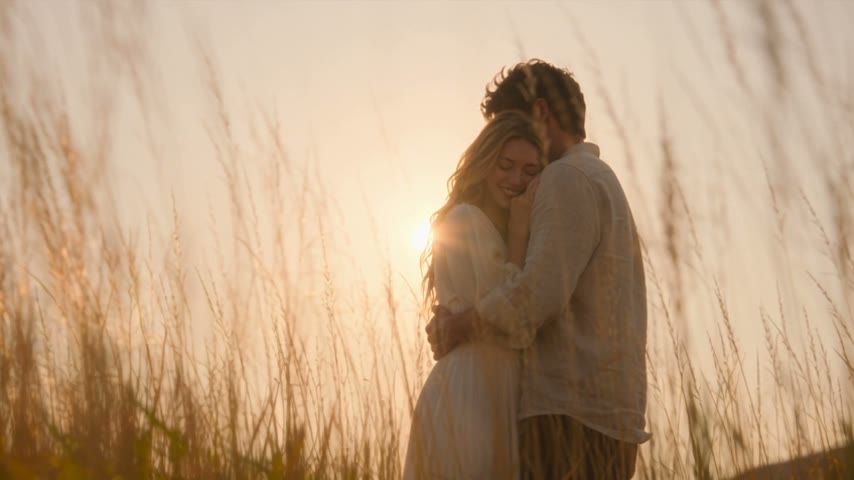
The AI Zombie Trend tells a story of love and loss: a companion recognizes their changed loved one, lowers their defenses and chooses an embrace. A hard cut leads into warm memories, affectionate close-ups and a sunset ending.
Create a 15-second story from two photos and preset story directions. Optionally spend 5 credits on a three-panel storyboard preview: a zombie threat, a tearful decision and a warm embrace. Full-video generation is charged separately; you can also skip the preview.
Why does it spread?
The format compresses fear, recognition and affection into a tiny story. The emotional reversal makes it easy to understand even without dialogue.
Keep both characters readable
How to do the AI Zombie Trend
Use one clear photo per character: an adult or a pet. The default 16:9 format leaves room for both characters; other aspect ratios are also available.
01
Choose two unobstructed character photos
Use one adult or one pet in each photo, with the face and upper body visible. For pets, keep the ears, muzzle and natural body shape clear. Avoid groups, overlapping subjects, cropped heads and strong shadows.
02
Assign the story roles
Upload two JPG, PNG or WebP images, up to 10 MB each. Photo 1 is the fictional zombie; photo 2 is the living companion who refuses to let go. Use photos you own or are authorized to use.
03
Choose whether to preview first
Select the storyboard option to generate three moments in one image for 5 credits: threat, a tearful decision and a warm memory. Confirmed failures are refunded. Uncheck it to go straight to video generation.
04
Review the cost and generate
If you generated a preview, check both characters, their assigned roles and expressions, then confirm it. Review the full-video credit quote and generate the 15-second story. Watch all the memory shots before downloading; likeness, animal anatomy and transitions can vary.
A community story format
Who makes the AI Zombie Trend?
No single verified originator
The zombie reunion appears in many creator variations with different couples, families and pets. We do not attribute the whole format to one person without a verifiable primary source.
Creators shape the emotional turn
Each version changes the relationship, setting and memory while retaining the recognition-and-embrace structure. Make the fictional transformation clear and label AI-generated media.
Independent creation tool. Not affiliated with the original performers.
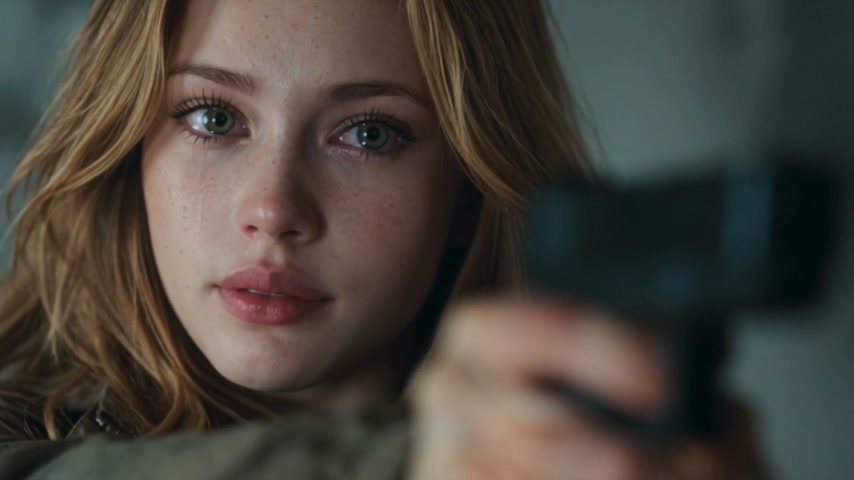
AI Zombie Trend: confrontation and reunion scenes
These frames come from the example video shown above. They illustrate the intended story and lighting; they are not before-and-after results from your photos.
The reunion · a cold room and a difficult decisionThe memory · a warm field and an embrace
Photo tips for the AI Zombie Trend
Clear expressions and separation between subjects help. The recipe avoids gore, but faces, wardrobe and background continuity can still vary.
Review the story in your AI Zombie Trend video
The AI Zombie Trend relies on contrast between a tense encounter and a warm memory. A useful review follows the characters across that change, including pet versions. Check the storyboard if you choose one, but still watch the final 15-second video: a preview image cannot confirm movement, timing or the finished soundtrack.
Check roles before judging the emotion
Photo 1 should remain the zombie role and photo 2 the living companion. Check faces, clothing or fur patterns in the encounter and memory. The healthy appearance in the memory represents another moment in the story, not a promise of a cure or resurrection. Reversed roles are a reason to reconsider the result before sharing.
Look closely at contact and animal anatomy
Watch the approach and the first contact, where generated hands or limbs may overlap. For a person-and-pet pair, check relative size, paws, ears and the way they lean together. Two pets should retain natural animal bodies rather than human hands. The preset aims to avoid gore, but you need to inspect what was actually generated.
Treat the storyboard as a visual decision
The optional three-panel image lets you inspect the threat, the companion’s decision and the warm memory before paying separately for the video. Use it to spot an incorrect character or an unwanted look. Confirming a preview does not lock every frame of the AI Zombie Trend video; identity, expressions and scene transitions can still change.
Want to animate one photo without the zombie story? Describe a gentle action or camera movement in the custom generator.
The preset aims for a non-graphic confrontation followed by a warm memory. A human companion lowers and discards a gun without firing; an animal companion uses natural body language and does not hold a weapon. The scene should cut before a bite lands, with no blood or on-screen injury. Review the actual result before sharing.
Which character becomes the zombie?
Photo 1 supplies the fictional zombie; photo 2 supplies the living companion. Roles follow the upload order for adults and pets alike. The memory should show the same two characters in a healthy appearance. Check their identities, roles and anatomy because results can vary.
Can I use a pet photo?
Yes. Each photo can show one adult or one pet, including a person-and-pet pair or two pets. Use clear individual photos rather than group photos. The preset adapts actions to the animal species, but likeness, anatomy and interaction are not guaranteed; review the preview and final video.
Why can a portrait be rejected?
The selected provider may reject images that appear to contain real people, including realistic AI portraits. Permission to use a photo does not guarantee model acceptance. Read the displayed reason and use inputs allowed by that provider.
Does it include the original trend song?
The preset requests original cinematic music and ambience, not a specific song. Audio may still be rejected by the provider. You can add music you have rights to in an editor after a successful generation; this does not automatically synchronize mouth movements.
What does a generation cost?
Each storyboard preview costs 5 credits. Confirmed failures are refunded; retries are new paid generations. The full video is charged separately by model and resolution. Check the live quote before confirming. Fifteen seconds is the output length, not the wait time.
 ReelMorph