 ReelMorph
How to Make the Ozil AI Goal Trend Yourself: Prompt and Workflow
On this page
Ozil AI Goal
Learn the origin of the Ozil AI Goal trend, why the sequence works, how to plan each action, write a reusable prompt and review the final football video.
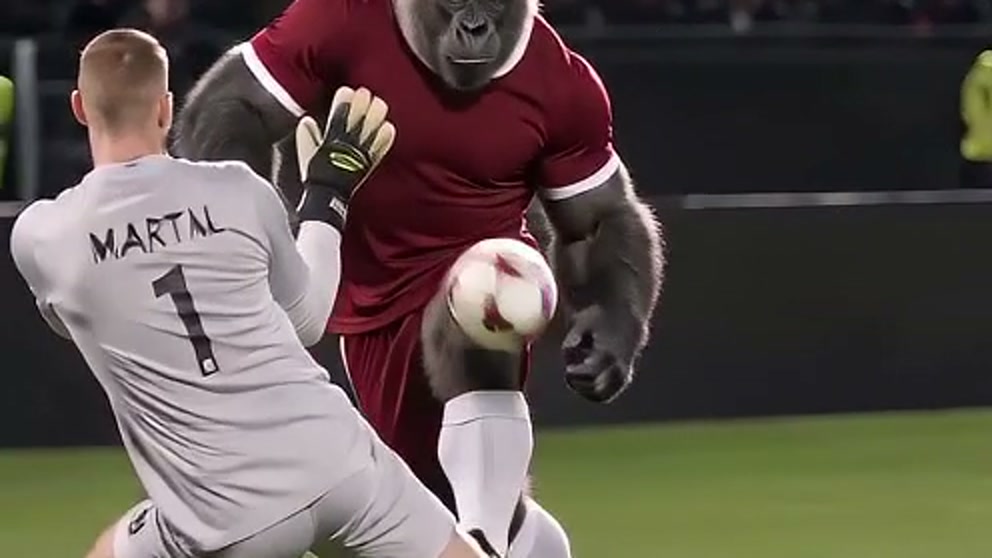
The Ozil AI Goal trend recreates a famous solo football move with a person, pet or fictional character of your choice. This guide teaches a tool-independent workflow: study the action, choose an image, plan the shots, write a prompt, generate the video and inspect the result. You do not need ReelMorph or a preset effect to follow it.
The hard part is not writing a long prompt. It is keeping the same scorer, one readable ball and a clear action order from the first touch to the finish.
What is the Ozil AI Goal trend, and where did it come from?
The source is Mesut Özil's late goal for Arsenal against Ludogorets Razgrad in the UEFA Champions League on 1 November 2016. Arsenal had recovered from two goals down, and Özil completed the 3-2 comeback near the end of the match. The official UEFA match report records the comeback, the late winner and Arsenal reaching the round of 16.
The move is remembered as a compact story: the attacker reaches the goalkeeper, lifts the ball past the challenge, stays composed while defenders commit, and finishes into the open net. The AI trend keeps that recognizable sequence but replaces the scorer with a different subject. A creator might use their own portrait, an original mascot, a pet or a fictional character.
That distinction matters. The real match supplies the sporting reference; an AI remake is a new synthetic interpretation. Do not present an AI result as match footage or imply endorsement by Özil, Arsenal, Ludogorets or UEFA.
Why is the Ozil AI Goal format so shareable?
There is no need to invent view counts to explain the appeal. The format has several visible qualities that work well in short-form video:
- It tells a complete story quickly. The scorer faces a problem, escapes three challenges and delivers a clear payoff.
- Each beat is easy to recognize. The chip, recovery, sliding defenders and open-net finish give viewers specific moments to anticipate.
- Character replacement creates instant contrast. Putting a friend, a pet or an invented character into a serious stadium sequence makes each version distinct.
- The ending gives the clip a pass-or-fail moment. Viewers can immediately see whether the ball actually reaches the net, which encourages rewatching and comparison.
The same strengths also expose weak generations. If the ball disappears or the final goal is missing, the story feels unfinished even when individual frames look impressive.
Break down the action before you generate
Treat the sequence as three connected phases rather than one vague instruction to “score like Özil.”
Phase 1: approach and lift
The scorer advances with one ball while the goalkeeper rushes out. The scorer lifts or nudges the ball over the challenge and continues forward. Keep both the scorer and ball visible.
Phase 2: recover and wait
The ball drops back into the scorer's path. Two defenders arrive and commit in sequence. The scorer stays upright and composed instead of teleporting past them.
Phase 3: finish
The scorer makes a readable final contact and the same ball travels into the open net. Hold the last moment long enough for the goal to register.
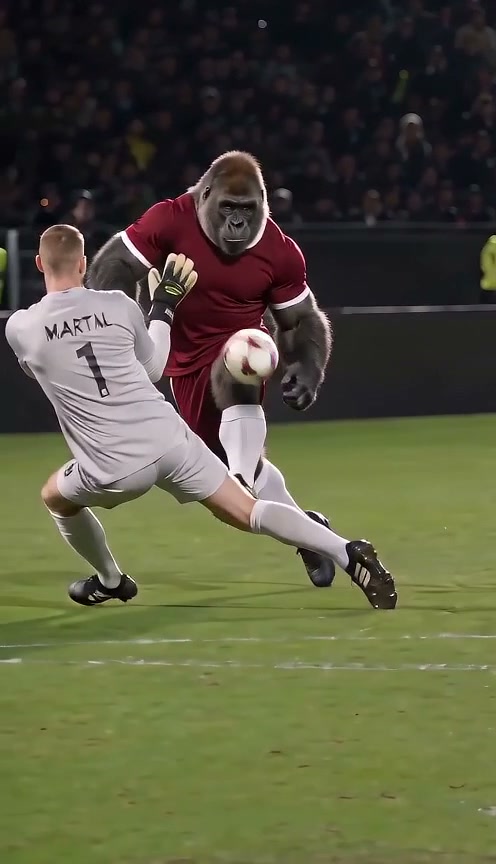
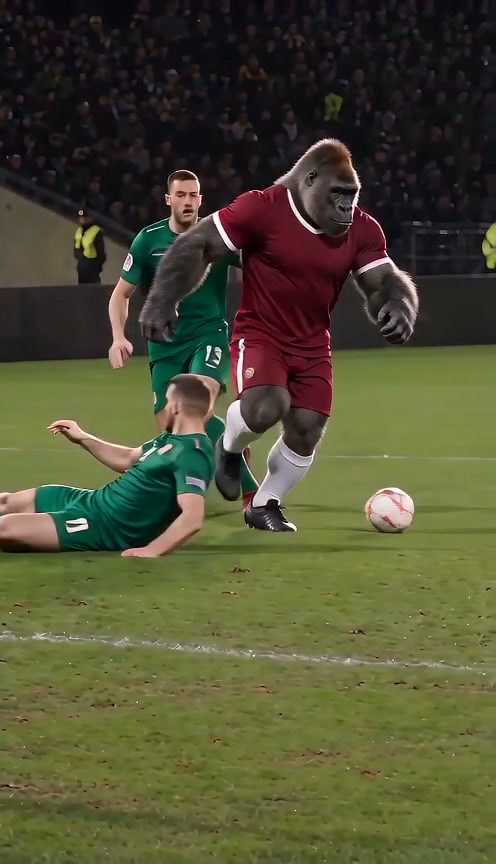
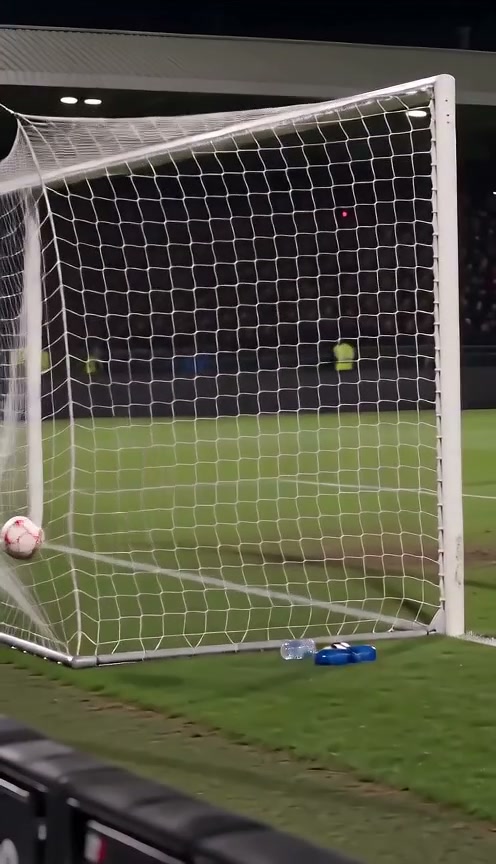
Three checkpoints from one generated example: lift, evade and finish. Use them as review points, not as a promise that every model will reproduce the same frames.
What you need to make your own version
You can build the effect with any image-to-video system that can preserve a subject across motion. A model with reference-image support is the simplest starting point. Video-reference or storyboard controls can help with choreography, but they are optional and should only use material you have permission to use.
Prepare:
- one clear image of a person, pet or original fictional character;
- an image-to-video tool, plus an editor if you plan to join several clips;
- a short action outline using the three phases above;
- a destination format, usually 9:16 for short-form feeds or 16:9 for a wider football view;
- the right to animate the image and to use any reference material or audio you provide.
Do not download and re-upload broadcast footage or commentary unless you have the necessary rights. You can study the official source, then describe the movement in your own words or make simple storyboard frames.
1. Choose a clear subject image
A full-body image gives the model the most useful information for running, foot contact and clothing continuity. Keep the head, torso, hands, legs and shoes visible. Use even lighting, a simple background and one subject only.
The example below works because the character is centered and the uniform, legs, socks and boots are all visible. The burgundy kit also separates the scorer from the green defenders used in the example scene.
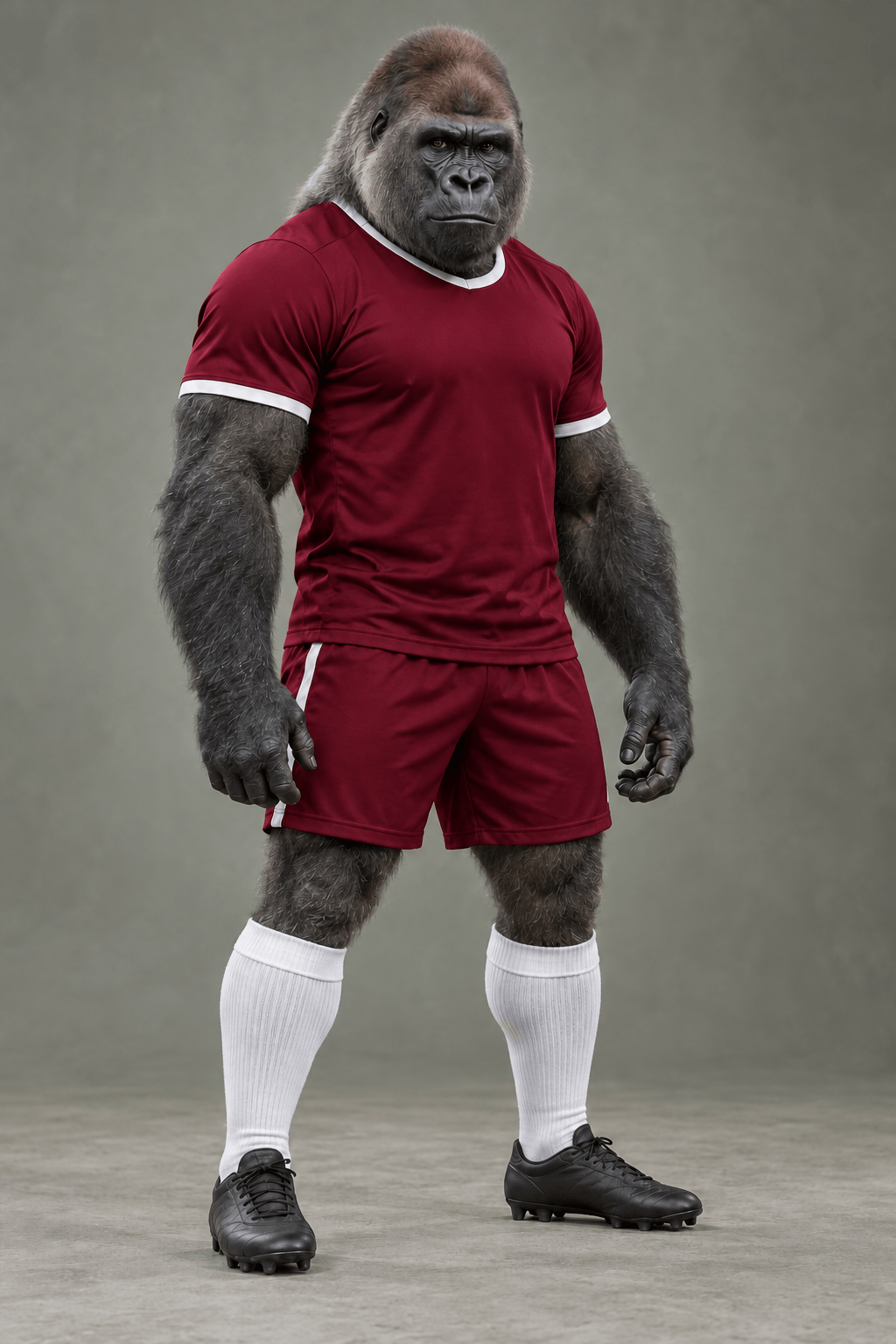
A clean full-body source gives the model identity, clothing and footwear information before it invents the stadium and supporting players.
Avoid group photos, hidden faces, heavy motion blur and tight headshots. A waist-up portrait can still work, but the model must invent the shorts, legs and footwear, which adds more opportunities for inconsistency.
2. Choose a one-clip or multi-clip workflow
Use a single clip when your model can handle a long action sequence and identity consistency is the priority. Aim for roughly 12 to 15 seconds, keep the camera following the scorer, and state the action order explicitly.
Use multiple clips when the model struggles to complete every beat. A practical split is:
- approach the goalkeeper and lift the ball;
- regain control while two defenders slide past;
- finish into the open net and hold the result.
Reuse the same subject image, wardrobe description, stadium direction and aspect ratio for all clips. If the tool exposes a seed or character-reference control, keep it consistent. Join the clips on movement rather than inserting unrelated transitions.
3. Write the prompt around actions, not hype
A useful prompt defines the subject, action order, continuity and camera. Adjectives such as “epic” or “viral” cannot replace those instructions.
Start from this tool-independent template and adapt the bracketed details:
Create a continuous [vertical or landscape] football sequence starring the single subject from the reference image as the scorer. Preserve the subject's face or species, body proportions, hairstyle or fur, and [describe the outfit] throughout. The scorer advances toward goal with one ball, lifts it over the onrushing goalkeeper, regains control as it drops, stays upright while two defenders slide past one after another, then makes a clear final touch into the open net. Keep one scorer and one ball, show natural foot-to-ball contact, and hold the completed goal long enough to read. Use fictional teams, plain uniforms and an original stadium without readable logos, captions or watermarks. [Add original crowd and ball sounds, or request silent output.]
Prompt tips that matter
- Lock identity before describing style. State what must remain unchanged: face or species, body proportions, fur or hair, and clothing.
- Use chronological verbs. “Advances, lifts, regains, waits, finishes” is clearer than a paragraph of visual adjectives.
- Assign roles. Name one scorer, one goalkeeper and two defenders so the model does not duplicate the lead.
- Protect ball continuity. Ask for one visible ball and readable foot contact at the major touches.
- Describe the camera conservatively. A following medium-wide shot gives the body, ball and goal room to coexist. Too many camera changes increase continuity risk.
- Separate audio from choreography. Decide whether you want new stadium ambience or silence. Do not ask the model to copy broadcast commentary or a copyrighted soundtrack.
Negative instructions are most useful when they protect the story: no duplicate scorer, no extra ball, no changing uniform, no unreadable final goal. A long list of unrelated negatives can dilute the important constraints.
4. Generate, compare and revise one variable
Generate a draft at the intended aspect ratio. If your tool offers a cheaper preview mode, use it to test the action order before spending on a high-resolution pass. Watch the full clip rather than judging only the thumbnail.
When a result fails, change one major variable at a time:
- replace a cropped source image with a full-body one;
- simplify three camera moves to one following shot;
- split one overloaded prompt into separate clips;
- shorten a long style paragraph and strengthen the action order;
- make the scorer's kit contrast with the defenders.
Changing everything at once makes it hard to learn which adjustment helped. Generation is variable, so one improved result is useful evidence for that attempt, not a guarantee for every run.
5. Review the goal before publishing
Watch once at normal speed, then scrub through these checkpoints:
- Identity: Is the scorer still the same person, animal or character after every overlap and camera change?
- Ball: Is there one ball, and does it travel continuously through the chip, recovery and shot?
- Anatomy: Do feet, knees, hands and limbs remain plausible during contact and sliding tackles?
- Roles: Are the goalkeeper and defenders distinct from the scorer rather than copies of the same face or kit?
- Finish: Does a visible final touch send the ball into the net before the clip ends?
- Rights and disclosure: Remove protected logos you are not entitled to use and label the result as AI-generated when the publishing context requires clarity.
If you generated several clips, also inspect each edit point for a changed uniform, reversed direction, new ball or different stadium. A short cut can hide a transition, but it cannot repair a missing narrative beat.
Common problems and practical fixes
The scorer changes after the goalkeeper challenge
Use a sharper full-body source and repeat the identity constraints near the start of every clip prompt. Reduce unnecessary cuts and crowded close-ups.
The ball disappears or multiplies
Ask for one visible ball and explicit contact at each important touch. If the model still loses it, split the sequence into shorter clips and cut on the ball's movement.
The defenders collide with the scorer
Describe the defenders arriving one after another, not simultaneously. Keep the camera wide enough to show spacing between bodies.
The video ends before the goal
Shorten the setup and reserve the final seconds for the shot, ball travel and a held view of the completed goal. In a multi-clip workflow, dedicate the last clip to the finish.
The result looks like branded match footage
Request fictional teams, plain kits and an original stadium. Remove readable crests, sponsors, scoreboards and broadcast graphics, and do not use match audio without permission.
Frequently asked questions
Do I need the original match video to make this trend?
No. You can study the official goal, write the action as a short sequence and use your own storyboard. If you use a video reference, make sure you have permission to upload and transform it.
Can I use a pet or fictional character?
Yes. Use a clear full-body image and name the species or character traits that must remain consistent. Fast football movement can still alter anatomy, fur, clothing or proportions, so review the whole result.
Which aspect ratio should I choose?
Use 9:16 for a phone-first short and 16:9 when you want more horizontal room for the goalkeeper, defenders and net. Keep the same ratio across clips if you plan to edit them together.
Can a prompt guarantee the exact original goal?
No. Generative video can reinterpret timing, contact and camera position. A structured prompt and shorter clips improve control, but every result still needs review.
Should I use real club kits and logos?
Fictional, unbranded uniforms are the safer creative choice unless you have permission. They also help the remake read as an original AI interpretation rather than copied match footage.
Can I use the original commentary or crowd audio?
Only if you have the rights. Otherwise request newly generated stadium ambience, record your own audio or use properly licensed sound during editing.
The most reliable way to make the Ozil AI Goal trend is to keep the story simple: one recognizable scorer, one ball, three action phases and a finish the viewer can clearly see. The prompt supports that plan; it does not replace it.
If you prefer a prepared version after learning the method, the Ozil AI Goal generator is an optional shortcut. You can also use the same planning and prompt principles in any suitable image-to-video tool.