Five consistent roles
The lead photo stays with the singer. Optional photos stay with their labeled roles, even when other slots are empty. AI creates fictional bandmates for unfilled roles. Check for swapped or duplicated faces.
 ReelMorph
PHOTO TO OFFICE CONCERT
Upload a lead singer’s portrait for a 15-second Tiny Desk AI video. Optionally cast the saxophonist, keyboard player and two backing singers; AI fills empty roles and generates accompanying audio.
Supplied reference video with sound, not a result generated from your photo. New generations request original AI audio; they do not reuse this soundtrack.
THE FORMAT
Tiny Desk AI recasts an intimate desk concert with a new lead performer. Bookshelves, headphones, a keyboard and close band reactions make the office feel like a small stage. The Outstanding meme references Charlie Wilson’s NPR Tiny Desk performance.
Your lead portrait is required. Four optional portraits let you cast the rest of the band; AI creates fictional adults for empty slots. The 15-second reference guides cuts and gestures, with no prompt to write.
The reveal comes from the contrast between an ordinary portrait and an expressive performance. A visible laugh, a band reaction and an instrument solo give viewers several moments to recognize and share.
MAKE YOUR VERSION
Start with a clear adult portrait for the lead. Optionally add photos for saxophone, keys, backing left and backing right. Left and right follow the viewer’s perspective.
Use a front-facing or slight three-quarter portrait with the full face and shoulders visible. Keep the eyes and mouth clear of sunglasses, hands and hat shadows. A group photo can confuse the lead assignment.
Upload the lead portrait, then fill any of the four optional role slots. Use separate JPG, PNG or WebP photos, up to 10 MB each (50 MB maximum). Check each preview and use photos with permission. Empty roles are generated by AI.
Output is fixed at 15 seconds, with 9:16 selected by default. Choose 480p or 720p and review the current credit quote before submitting. Keep the existing task open while it is processing.
Check all five identities and their roles through every cut, especially the lead laugh, hands and saxophone. Listen to the generated audio and download promptly. A new generation uses a new quote.
SOURCE & REMIX
Charlie Wilson’s official website documents his NPR Music Tiny Desk concert and lists The Gap Band’s Outstanding among the songs. Wilson and his band are the performers; NPR Music presents the concert. That performance is distinct from later AI recast videos.
Charlie Wilson · Tiny Desk concert / Outstanding ↗Remix creators supply new casts and contexts. We do not claim a verified first AI creator, use popularity counts as evidence, or imply endorsement by NPR, Charlie Wilson or The Gap Band. The player shows supplied reference footage, not a verified result from your photo.
Independent creation tool. Not affiliated with the original performers.
Frames from the supplied 15-second reference illustrate role separation and framing. They are not new ReelMorph generations. The original soundtrack in the reference is not included in generated output.
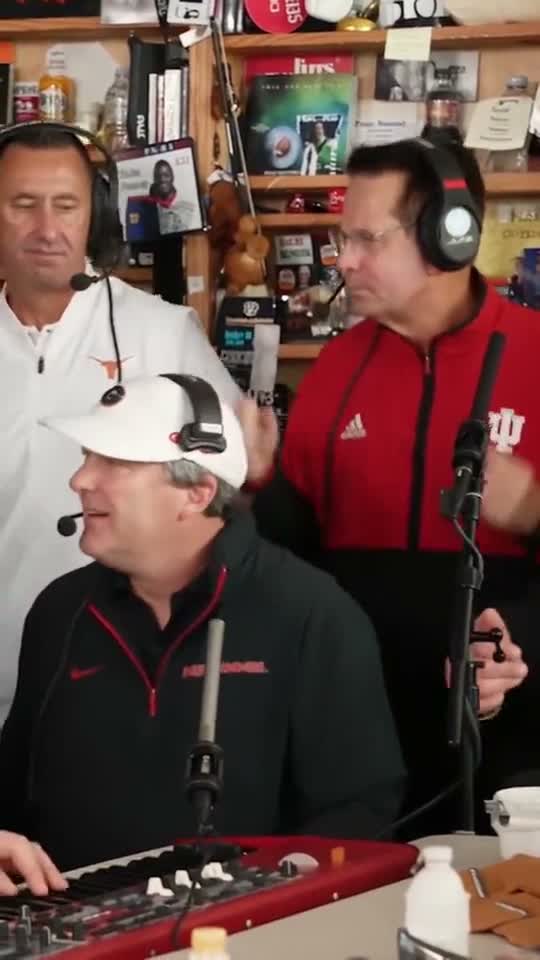
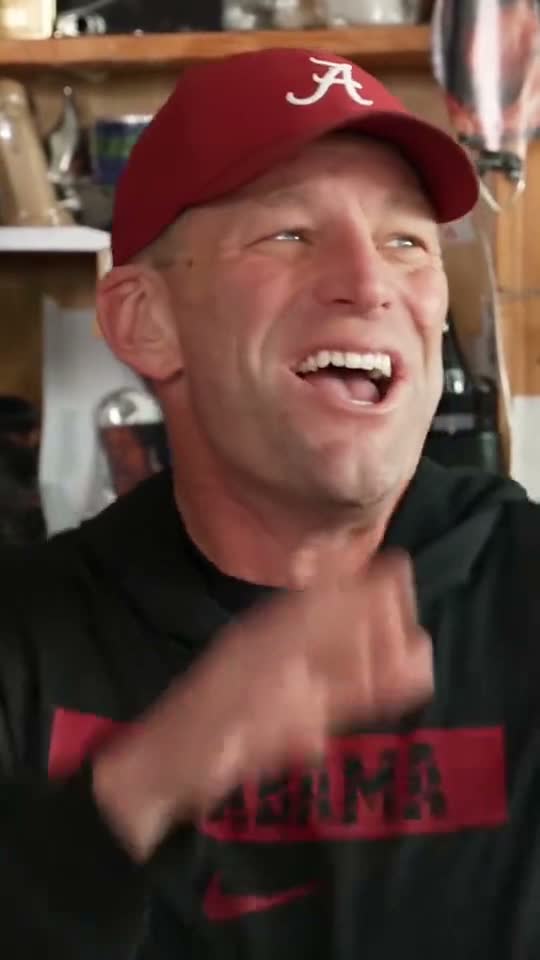
The laugh puts extra pressure on eyes, teeth and face shape. Use a sharp portrait with relaxed expression and even light. Keep some shoulder and clothing detail; a full-body image is unnecessary. Avoid tiny faces, strong filters and prominent logos. Similarity and performance timing can vary.
Watch once at normal speed and again at the cuts. These checks matter more than matching every frame of the reference.
The lead photo stays with the singer. Optional photos stay with their labeled roles, even when other slots are empty. AI creates fictional bandmates for unfilled roles. Check for swapped or duplicated faces.
Check fingers at the keys and saxophone, the microphone position, and headphone continuity. Reject takes with merged hands or changing instruments.
The final band reaction should finish before the file ends. Check the generated music, laughter and room sound against the picture. If you replace the soundtrack, use permitted audio and review the final export.
For a different cast or a new scene, start a custom video with your own instructions.
Create AI VideoOnly the lead portrait is required. You can add up to four optional photos for saxophone, keys, backing left and backing right. Leave any of them empty for AI-generated bandmates. Use one adult per photo; left/right follow the viewer’s perspective.
No. This generator follows the supplied 15-second edit in one generation. The tutorial explains how to plan longer edits with separate shots in other workflows.
Audio generation is enabled. The prompt requests original band music, laughter and room ambience, rather than the reference recording or Outstanding. Listen to the result: the exact sounds and timing can vary.
Choose 480p or 720p and 9:16, 16:9 or 1:1. The default is vertical 9:16 and the duration stays 15 seconds. The server provides the price shown before generation.
No exact match is guaranteed. Faces can drift during the laugh, fingers can distort, and cuts can shift. Review every result before sharing and use a clearer portrait if the lead becomes hard to recognize.
No. This is an independent AI effect inspired by the concert-remix format. Use photos with permission, label generated media clearly, and do not present a remake as a real performance or endorsement.
Start with one lead portrait. Add up to four bandmates for a 15-second concert with AI-generated audio.
Create my Tiny Desk AI video